

How-to guide
Exporting results and regulatory outputs
Everything you can take out of a completed assessment — the Excel workbook, the impact statement PDF, the regulatory report PDF, and the on-demand double materiality, CSRD/ESRS and SFDR outputs.
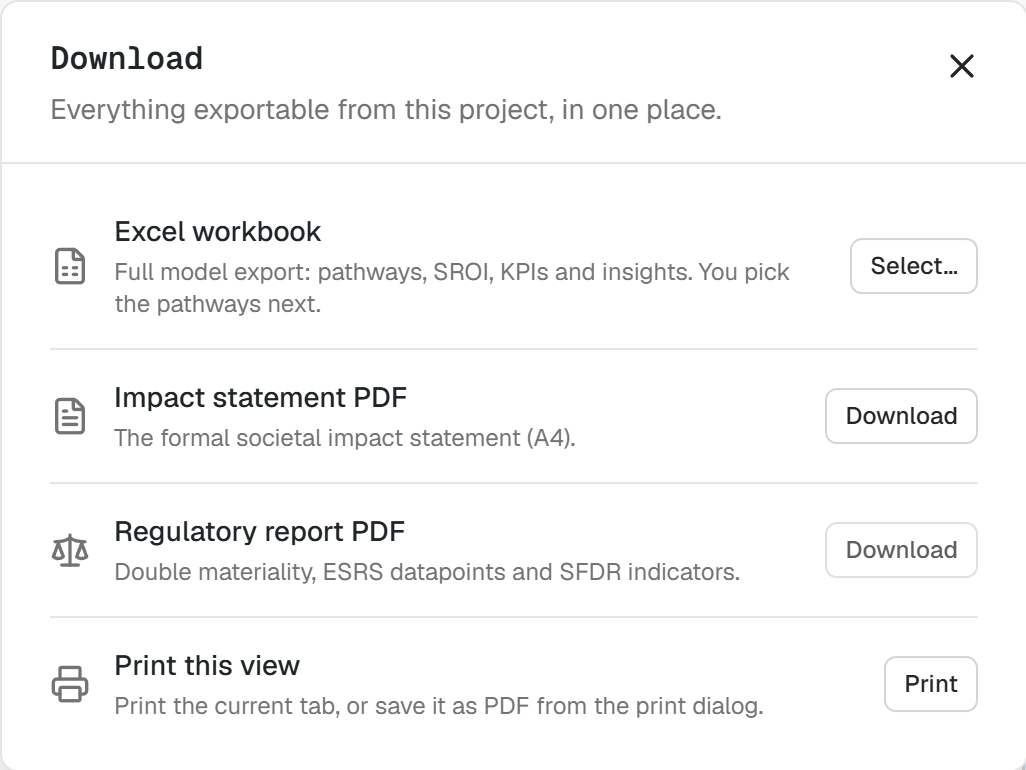
This guide covers everything you can take out of a completed assessment: the Excel workbook, the impact statement PDF, the regulatory report PDF, and the on-demand double materiality, CSRD/ESRS and SFDR outputs.
It assumes you already have a completed assessment. If you do not, start with Assessing an organization or Assessing and comparing investments, projects or programs.
Export the results
Open the completed assessment and click the Download button at the top right of the screen. The pop-up offers three outputs, described below.
Excel workbook
The Excel workbook provides the extensive data behind the calculations, including pathway details, assumptions and variables, calculations and equations, environmental data, impact valuations, financial results, scenarios, sources and notes.
Press Select and choose the pathways you want to review. Keep all pathways selected to support a complete and thorough follow-up analysis.
💡 Tip: Use the Excel workbook when you need to audit a number, rebuild a calculation, or hand the model to an analyst. Use the PDFs when you need to share a conclusion.
Impact statement PDF
The impact statement PDF provides the formal societal impact statement in A4 format, ready for review, sharing and reporting.
Regulatory report PDF
The regulatory report PDF provides a structured report of the assessment, including its scope, methodology, results, assumptions, evidence, risks and limitations.
Generate the regulatory outputs
Click the Regulatory sub-tab. This section is calculated on demand and provides three outputs:
- A double materiality assessment built on the actual impact valuation results rather than stakeholder perception.
- A CSRD/ESRS summary of the 10 ESRS KPIs.
- An SFDR/Article 9 summary with a verification section checking alignment with Article 9 requirements.
The available regulatory outputs appear in the Regulatory view once the calculation finishes.
💡 Tip: The regulatory outputs are derived from the assessment as it stands. Resolve material data gaps and confirm the assumptions in the Model tab before generating them for a formal report.
Related guides
- Assessing an organization — run an assessment from a company name to a completed impact statement.
- Assessing and comparing investments, projects or programs — assess a specific project, investment or program.
- Building a fund or portfolio assessment — export and analyze a whole workspace rather than a single assessment.